The recent wave of personal AI assistants, including Instinct, Meta’s Muse, OpenAI’s Dot, and GrokBot, is giving businesses a new way to reach customers. People are asking these assistants to book trips, find restaurant tables, and make purchases, then giving them access to the accounts and payment details they need to follow through.
Instinct’s founder says the platform is approaching $1 billion in annual transactions, with travel accounting for more than half. Apptopia estimates put Muse ahead of ChatGPT’s first 12 days of iOS downloads in the US and Canada. These are different measures, but together they help explain the interest in personal assistants as a channel for businesses.
For businesses, preparing for this channel means working on enablement, which gives assistants a reliable way to use the service, and enforcement, which controls what they are allowed to do. We’ll start with how these assistants work, then look at enablement and enforcement in turn.
How personal assistants work
The new generation of personal assistants separates itself from “classical” AI applications like ChatGPT in three main ways: (i) focusing on completing tasks for users, from booking to purchasing, (ii) being highly proactive and looking for meaningful ways to help even when not prompted, and (iii) integrating deeply into users’ lives to help end-to-end. The more helpful these agents become and the better they “know” you, the more engagement they will get and the deeper they will integrate into our daily lives.
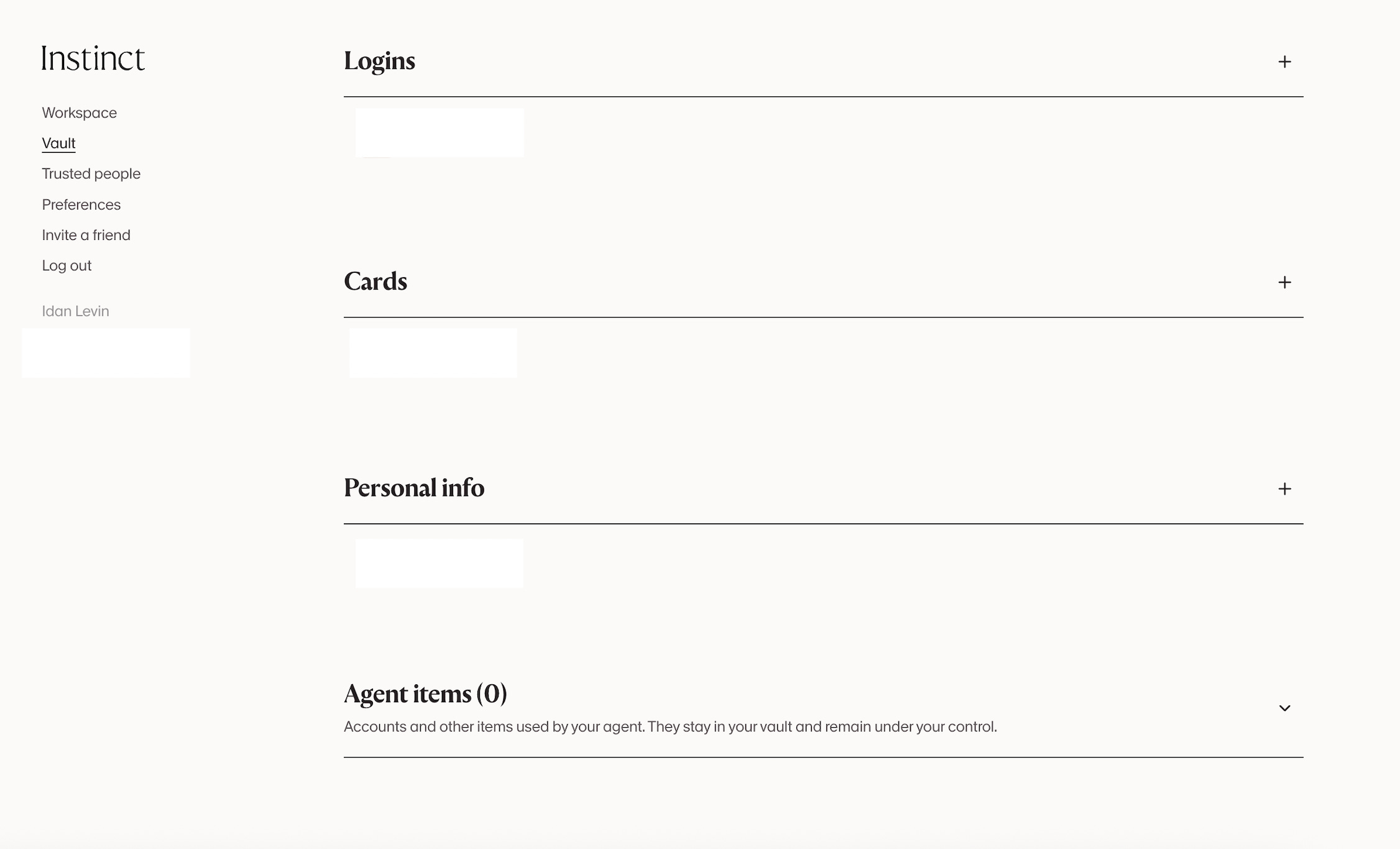
To do this, these assistants often ask users to connect many services like email, calendar and even bank accounts! They also maintain dedicated vaults to store passwords and credit cards.
In a recent interview, Instinct’s founder said that 40% of users share a credit card within their first three weeks, and that users who share sensitive information have an 80% retention rate. Those are company-reported figures, but they help explain why shopping is a priority for these products. If an assistant can handle something the user regularly needs, there is a reason to keep coming back.
The ability to keep working between conversations has consequences for businesses. An assistant might monitor a schedule, remind someone about an unfinished task, or keep checking whether a reservation has opened up. A single request from the user can turn into repeated visits to the same service over hours or days.
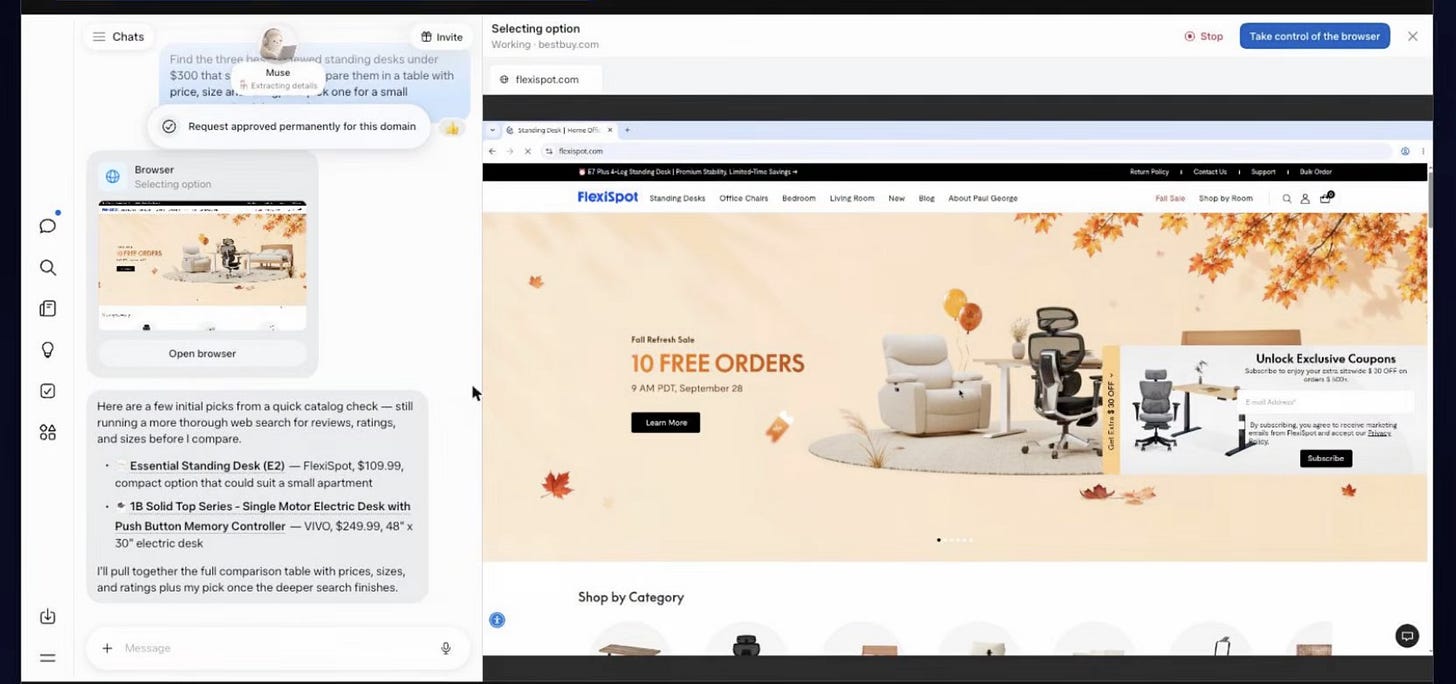
For tasks that involve websites, assistants can operate a browser on a virtual computer in the cloud. The browser lets them interact with services much as a person would, and the user can open it and take over when needed. This shared use of the browser, often called co-browsing (remember this as well!), is an important part of the customer journey.
In the Muse application below, the browser is open alongside the assistant, so the user can continue from where the agent stopped (aka “co-browsing”).
Sharing a browser also makes it harder for a business to tell who is acting. We wrote about a related problem in our post on agentic commerce ghosts, where people browse with an AI companion the website owner cannot see. An assistant may use the customer’s logged-in session, so its requests arrive under the same account and permissions as the human’s. The service may only notice the difference when the behavior becomes unusual.
That happened in a reported Resy incident involving a user who asked Instinct to find a table at 4 Charles Prime Rib. The agent checked availability every ten minutes and, around the time new reservations were released, sent requests every 0.4 seconds. Its activity log reportedly showed roughly 200 API requests an hour. Resy deactivated the user’s account and cancelled his future reservations.
Users have also reported account deactivations on services including LinkedIn and Delta Air Lines. The circumstances differ, but they raise a similar question about how a service should handle automation that uses a customer’s account.
A request such as “Please make sure I get a reservation” leaves the assistant considerable room to decide how to proceed. It might choose to check every 30 seconds, which could help that user while putting an unreasonable load on the service if many assistants behave the same way. The business needs a way to communicate acceptable behavior and enforce it, even when the user has authorized the assistant to act.
Enablement
For enablement, businesses have two main options. They can build a direct integration with an assistant or make their existing website agent-ready. We expect many businesses to need both, because they offer different levels of control over access and the customer experience.
Meta’s Muse Connector Platform is one example of the direct approach. Businesses can submit a connector for review and, if approved, appear in Muse’s directory. A connector can expose a business’s API or an existing MCP server, giving the assistant a defined set of actions it can call. MCP is a way to describe and expose those actions as tools for an AI system.
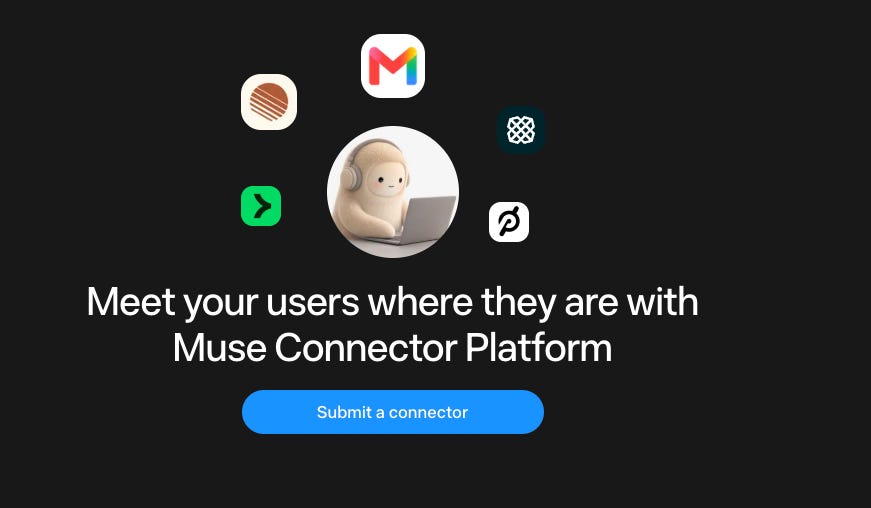
Muse already has its connector platform, and Instinct currently has bespoke integrations, but we expect something similar to emerge over time.
Both approaches are important, but they have different trade-offs.
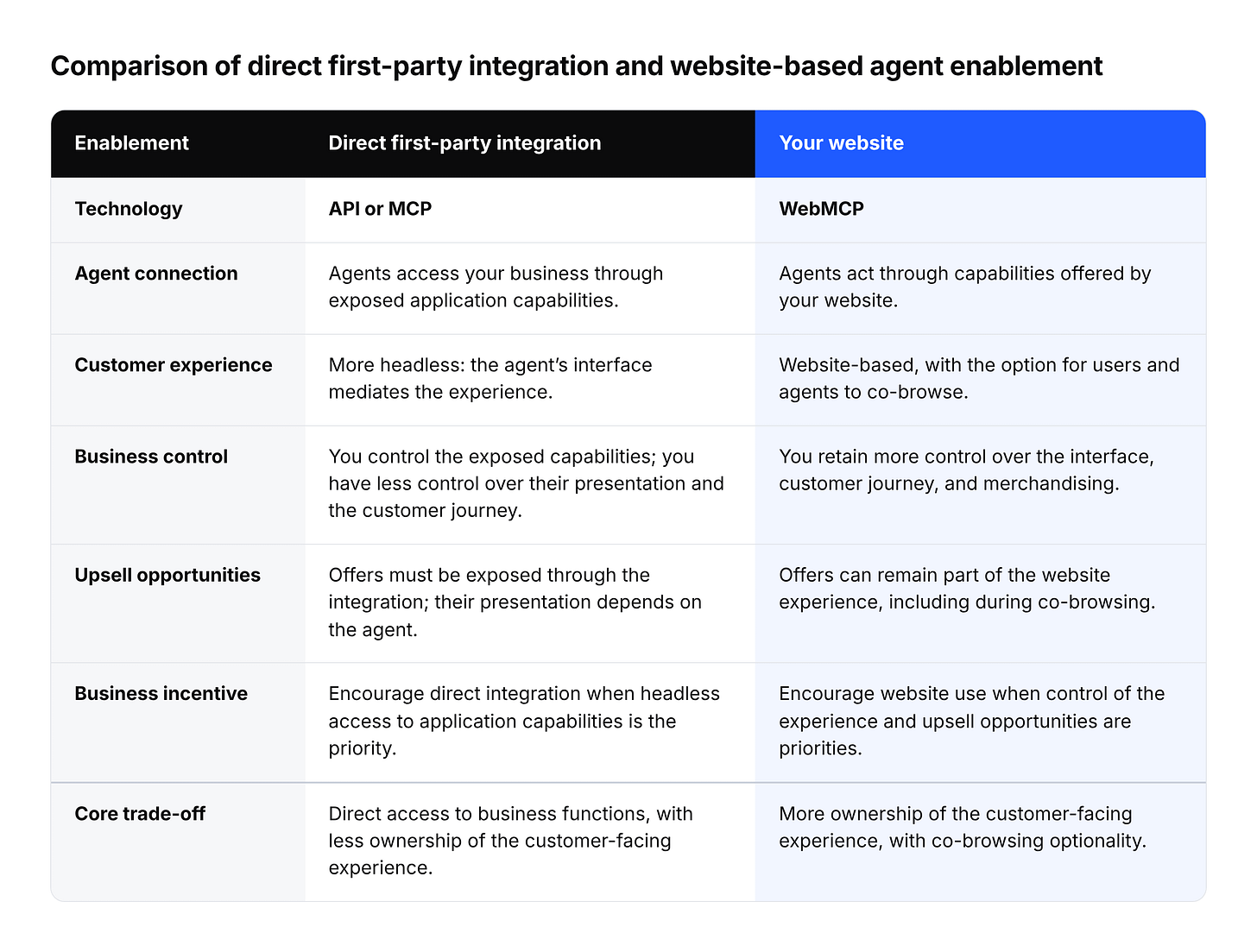
Direct first-party integration
Because this is likely to be the highest-priority path for assistants right now, it will probably be best for native discovery, for example being presented in an assistant’s app store or selected natively. It is deeply integrated with the assistant and relatively easy to secure with built-in permissions, rate limits and other policies. However, the business has less control over the user experience, and users are more intermediated throughout the journey, which may reduce some of the value of the direct customer relationship.Website
Best for controlling the customer relationship, delivering branded experiences, maximizing upsells, and supporting situations where the user needs to take over. You own the experience, while the agent determines how it navigates and interacts with your site.
This becomes particularly useful when a journey needs a human step. An agent might find the right product and prepare the cart, then ask the user to approve the purchase, complete authentication, or make a subjective choice. Many users will want that involvement while they build trust in their assistant, and some steps will continue to require it.
Because the agent and the user can share the browser, the website becomes a place where they can continue each other’s work. The agent handles the parts it can complete, and the user steps in with the relevant page and context already open. A direct integration works well for structured interactions, while the website supports journeys where control moves between the assistant and the person.
Enforcement
The Resy example shows why enablement needs to be paired with enforcement. A business may be happy for an assistant to monitor availability every few minutes while rejecting requests every few seconds. It needs to recognize the relevant agent activity, apply those limits, and respond when the assistant exceeds them.
With a direct API or MCP integration, this is relatively easy to manage. The business knows the request is coming from an agent, so it can apply dedicated permissions, rate limits and policies.
On the website, the same account and browser session may be used by the human one moment and the assistant the next. Treating the entire session as automated risks restricting the customer along with the agent.
Our view is that businesses should support a separate path for agents through WebMCP tools alongside the normal interface for people. Both paths can call the same backend APIs, but requests made through the tools can carry site-defined metadata that identifies them as declared agent activity.
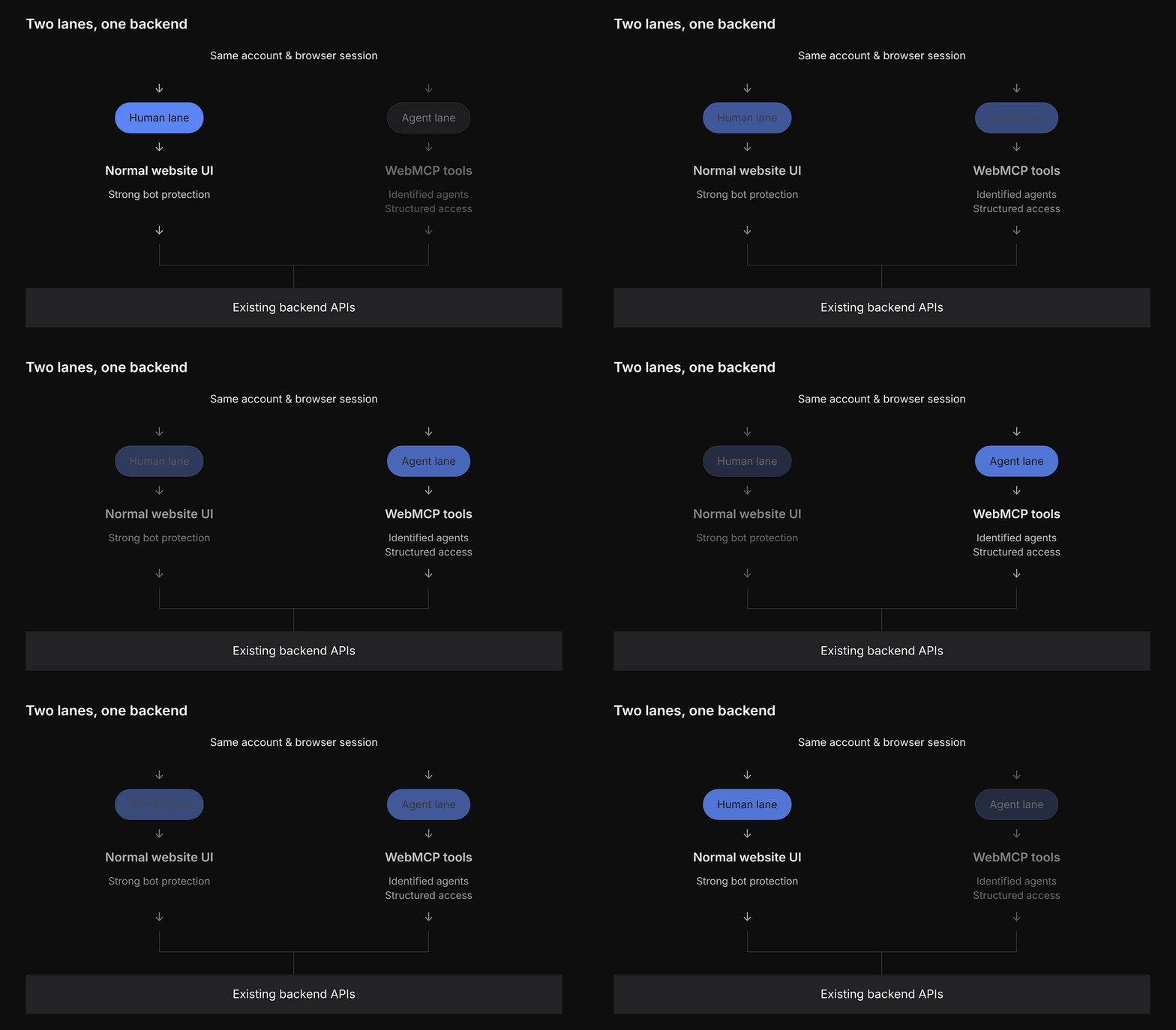
The human lane can continue to have strong bot protection. Agents that identify themselves and use the supported lane can get structured, predictable access. The important part is that both lanes can still use the business’s existing backend APIs.
Requests coming through the agent lane can be marked as agent activity and tied to a separate agent session, allowing the business to apply different permissions, rate limits and risk policies without affecting the user’s normal session.
This creates a pretty simple trade: use the supported agent lane and get predictable access; try to automate the human lane and continue to face the site’s normal bot protection.
We wrote more about this approach in Solving Agent Identity with WebMCP. We are also currently working on an implementation for managing these scoped agent sessions. If you’re interested in learning more, please reach out.
What it means to be ready for agents
Being ready for agents means: (i) can agents use your service? (enablement) and (ii) can you control how they use it? (enforcement).
We think the website is worth investing in because it keeps the business involved throughout the experience. It gives agents a way to help while preserving a familiar place for customers to make decisions and finish the task. Preparing for personal assistants means making that journey work for both of them, with enough control for the business to support it reliably.