Live Demo
Scroll all the way down if you just want to jump straight to the live demo section below👇 .
Meet WebMCP: Your Website’s Agent
One of the most promising things quietly forming in agentic commerce right now is a new web standard called WebMCP, developed by Google and Microsoft. The idea is simple: make your website conversational. Users will be able to talk to your site in free language - ask questions, search products, get support - and take real actions like filtering results, adding to cart, and eventually completing a purchase, all through a chat interface built into the browser (in the more far future this could be leveraged for agents, but the starting point is for humans using the browser).
There’s a lot of futuristic noise in AI land, but this is one of the most practical, immediate-ROI developments we’ve seen in agentic commerce. The cool thing is that the merchant stays in control and everything happens on your site - your pages, your checkout, your data, and the user isn't being pulled into some third-party AI experience. They're talking to your store.
So let’s break down exactly what WebMCP is, why it’s exciting, and what brands and merchants should be doing about it.
Background: The browser sidekick
For the past year, there’s been a race to make the browser more AI-friendly -specifically, to add a chat interface so users can “talk” to the web while surfing it. A few approaches have emerged: some companies launched dedicated AI browsers (Perplexity’s Comet, OpenAI’s Atlas), others built extensions (Anthropic just published a Claude Chrome extension a few weeks ago). These can summarize pages, navigate sites, and take actions on your behalf. So basically a sidekick while you browse.
But the real game-changer is Chrome. Google has been building Gemini in Chrome - a persistent AI side panel on the right side of the browser. It’s currently rolling out worldwide (just became available in Canada and India last week). Chrome controls over 70% of the browser market across desktop and mobile, with 3.8 Billion users (!). That means the majority of your users will soon have an AI assistant sitting right next to your website, ready to use. The video below is from the new campaign they launched 1.5 months ago (we also covered it here when it came out: 3.5 Billion Users Just Got an Agentic Shopping Browser).
The Issue: websites are not AI ready
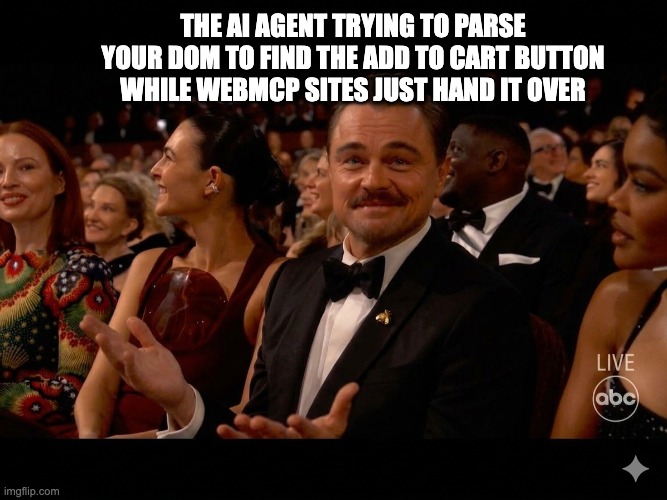
But there’s a problem - today, when you chat with a website through these side panels, the agent has to interact with it like a human would - clicking buttons, filling forms, scrolling, taking screenshots, parsing the DOM. It’s slow and unreliable. A simple product search that takes a human five seconds can take an agent 30–60 seconds, and it often fails.
There are really two pain points here:
The passive stuff works but the active stuff doesn’t. You can summarize a page, extract reviews, compare text across tabs - that’s fine. But the moment you want to do something - search, filter, add to cart, check out - the agent has to fumble through your UI, and it breaks constantly.
Websites aren’t built for these interactions. There’s no structured way for a site to tell an agent what it can do or how to do it, so the agent is guessing at every step.
So to summarize - current AI sidekicks has the potential of major distribution, but it doesn’t create a delightful consumer journey on your site, just enhancing your productivity a bit when scrolling the web via summaries and such.
Enter WebMCP
WebMCP solves both issues. It makes the chat interface a first-class citizen for every website - your site declares its capabilities as structured tools, and any agent can call them directly. No screenshots, DOM scraping or guessing.
The way it works is when the browser loads your page, the page code registers its WebMCP tools - search, add to cart, check order status, get return policy - and these are loaded directly into the AI chat as callable functions. The chat interface knows what your site can do the moment it lands on the page.
Now think about how users will actually chat with your website when they have a chat panel sitting next to your store:
Product discovery: “I need running shoes for flat feet, under $150, with good arch support. I mostly run on pavement.”
Support: “What’s your return policy on sale items? I bought a jacket last week and it doesn’t fit.”
Comparison: “Compare these three dresses. Which one has the best reviews for fit? Do any of them run small?”
Travel planning: “Find me direct flights from TLV to Barcelona in July, departing after 6pm, and show me hotels near the beach under €200/night.”
Deals: “Do you have any active promo codes? What’s the best deal on noise-cancelling headphones right now?”
Once users can interact with your site in free language (and know it’s working..) it’s not just about browsing anymore - it’s about doing. Searching, comparing, buying, getting support. The chat becomes the interface for your store’s agent. And there are many agentic journeys a consumer can go through.
The chat becomes the interface for your store's agent.
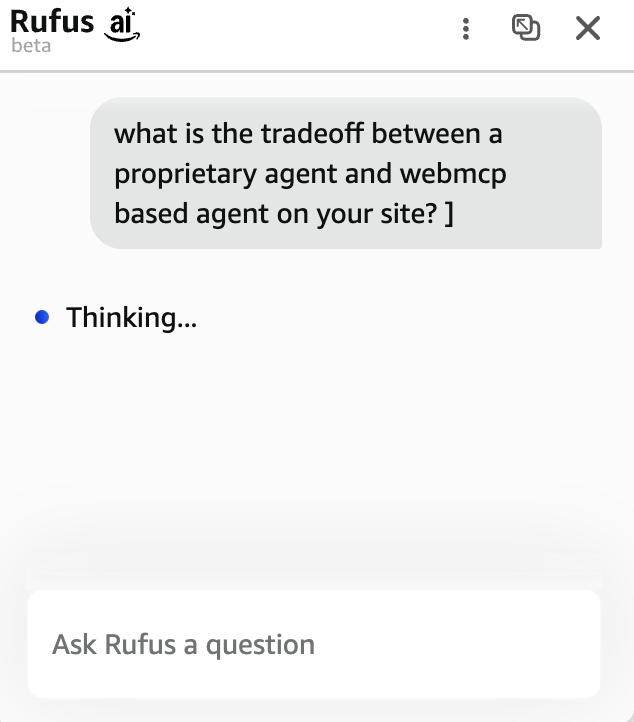
If you zoom out, what’s really happening here is that the Gemini side panel - or any browser chat interface - effectively replaces the need to build a dedicated AI agent into your website. Amazon spent enormous resources building Rufus as a proprietary shopping assistant embedded in their app. With WebMCP, the browser itself becomes the agent interface, and WebMCP is the logic layer. Users who get accustomed to the side panel will naturally start using it as your website’s agent, across every site they visit.
If you’ve made it this far, you should see the main insight here: WebMCP is essentially your website’s agent, and you don’t have to build one - you just have to make your site ready for the one that’s already sitting in the browser. Which raises the obvious question: should you build your own on-site agent like Rufus, or leverage WebMCP?
The tradeoff: build your own or leverage WebMCP
For brands and merchants that want to enhance their consumer experience with AI, there are really two paths.
The first is to build a proprietary agent, like Amazon did with Rufus or Walmart has done with Sparky. You control the entire stack - the UI, the conversational design, the recommendation engine, the data pipeline, the checkout flow. You get maximum control over the experience. But you also get a massive engineering bill, plus you need users to actually adopt and trust a new interface, and you’re looking at months or years of development before you see results (many of the current on-site agents are pretty basic).
The second approach is to implement WebMCP and let users interact with your site through any browser agent. You reuse your existing frontend logic, so implementation is much shorter. Any agent - Gemini, Claude, Atlas, whatever comes next - can use your tools, which gives you broad compatibility instead of deep integration. The tradeoff is that you get less data - for example, the prompts and conversations won’t be stored with you, they live with the agent provider. Plus the experience is less customizable.
The open access problem
WebMCP is not perfect - as expected of what is essentially a v0. One of the main gaps we’ve identified is the lack of authentication. The standard is designed so that humans using the browser can interact with your website through a chat interface, and that’s great. But it also means that remote agents - like OpenClaw, automated price scrapers, or competitor bots/agents - can discover and call your WebMCP tools just as easily.
This is a real tension for merchants. A big part of why WebMCP is exciting in the first place is that it keeps the user on your site, inside your experience, under your brand. You’re not being abstracted away by some third-party agent. But by exposing structured WebMCP tools, you’re also creating a dedicated, well-documented route for bots and agents to interact with your site programmatically. And right now, there’s no way to distinguish between a real customer using the Gemini side panel and an automated agent calling your tools remotely. So there should be some thought about gating access via authentication or rate limiting..
The agentic commerce payments/checkout angle
It's worth noting that Google also announced Chrome will support the Universal Commerce Protocol (UCP) - the open standard for agentic checkout co-developed with Shopify, Walmart, Target, and more. Which means eventually users will be able to complete checkout directly through the chat - significantly reducing friction in the purchase flow. Over time, the chat interface could encapsulate the entire shopping journey from discovery to payment. And since Google co-authored UCP, there’s a good chance Google Wallet in Chrome will provide native support for this. But it might take some time.
Demo time!
We built a simple hat store and embedded WebMCP into it to show how it actually works in practice.
Watch the video below, then follow the instructions to try it yourself.
You can use the store demo even without WebMCP through the embedded agent by just going into the website. If you want to go full ‘dev mode’ and try raw WebMCP, follow these instructions -
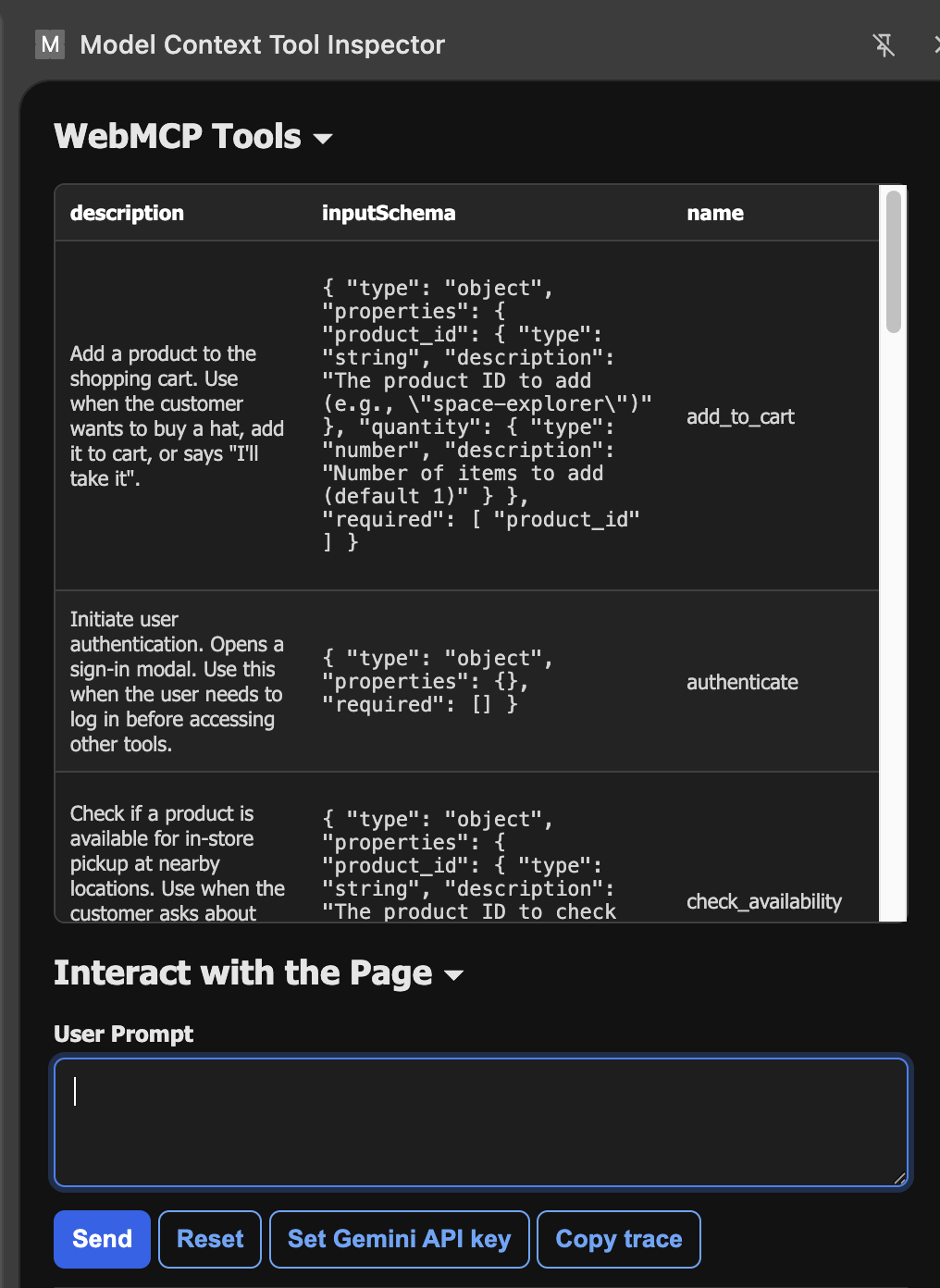
Currently WebMCP is only supported in Chrome Canary or Chrome Beta (the developers’ versions of Chrome), and you’ll need to download Google’s WebMCP extension that recognizes the WebMCP tools and lets you interact with them. Then you will need to enable chrome://flags/#enable-webmcp-testing and relaunch chrome.
The extension looks like this:
Summary: don’t sleep on WebMCP
WebMCP has the potential to become your website’s agent interface. With Chrome’s massive distribution - 3.8 billion users - and native browser support likely landing later this year, this could go mainstream fast. For merchants, it’s a new primitive that lets you create an on-site conversational experience without the heavy lifting of building a Rufus-like agent from scratch. It’s easier to implement, easier to maintain, and it works with every browser agent out of the box. The sites that get ready first will have a compounding advantage as conversational commerce becomes the norm.
We’re currently working with brands that want to lead the charge on WebMCP. If you’re interested in exploring what this looks like for your site and want to start building towards the WebMCP wave, feel free to reach out - [email protected].
And if you’d like more in-depth analysis of agentic commerce trends and deep dives like this one, subscribe below.