Want to skip ahead and just try our free tool? Check it out here.
Background
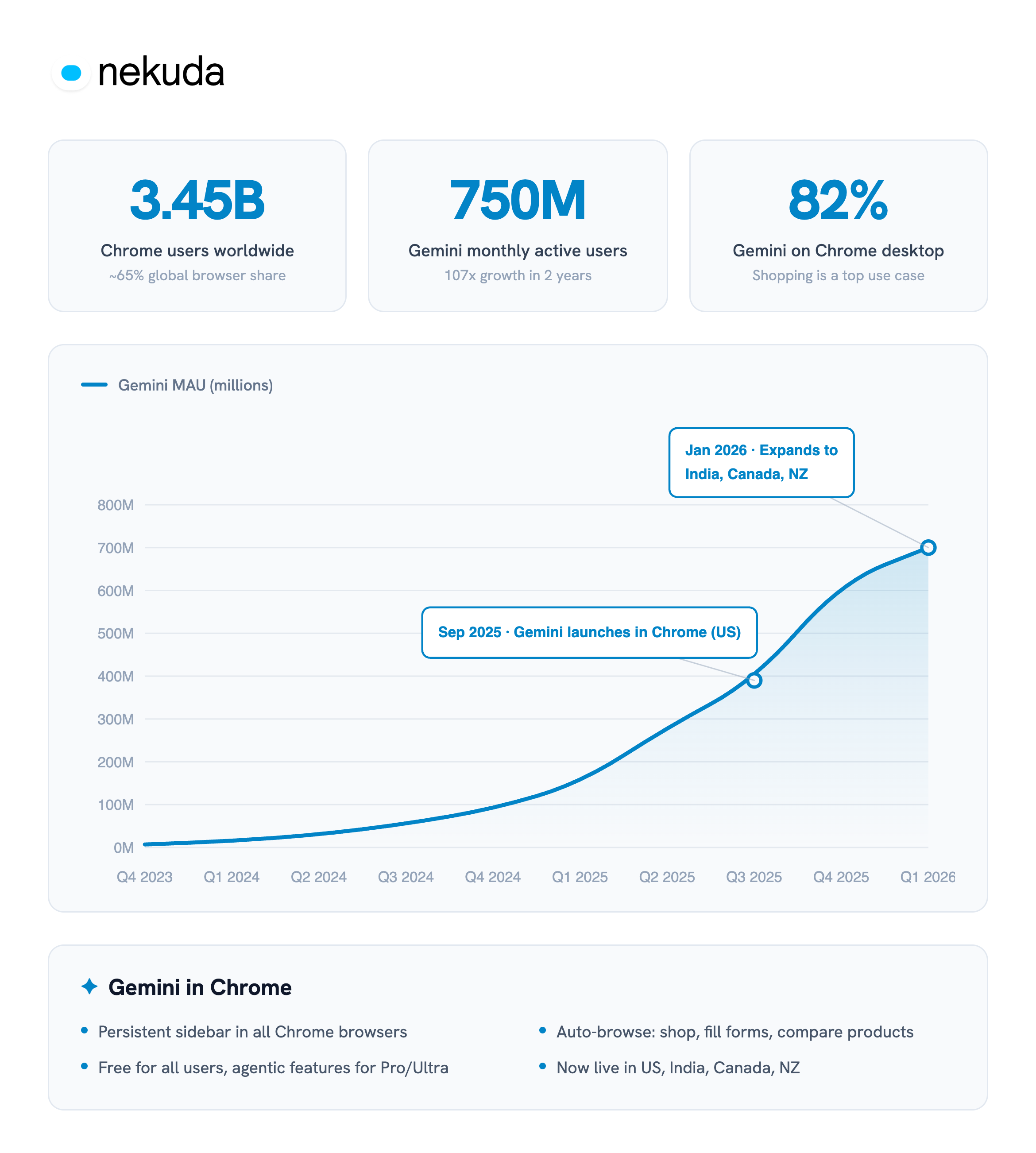
Google recently launched Gemini in the Chrome browser, embedding Gemini directly into the browser with a native side-panel experience. As we covered in a recent blog post, Chrome commands roughly 3.5 billion users and two-thirds of the global browser market, the vast majority of them on desktop - so this has the potential to affect billions of users worldwide.
Overnight, agentic browsing went from a niche experience for early adopters to a default capability sitting inside the browser billions of people already open every day.
This is accompanied by generally major growth in Gemini usage, which has grown to over 750 million MAUs user base (this metric aggregates usage across all Gemini surfaces - including the app, AI Mode in Google, and other embedded experiences). You can see below the timeline of growth plus the release of Gemini in Chrome:
Last week, Google followed up with two further announcements directly relevant to agentic commerce: Skills for Gemini in Chrome, and browsing in AI Mode.
Skills - reusable shopping workflows
Skills in Chrome are shortcut behaviors for Gemini that run while you’re browsing a site - reusable, one-click AI workflows built from saved Gemini prompts.
This is how it looks on the side-panel when you are using Gemini in Chrome:
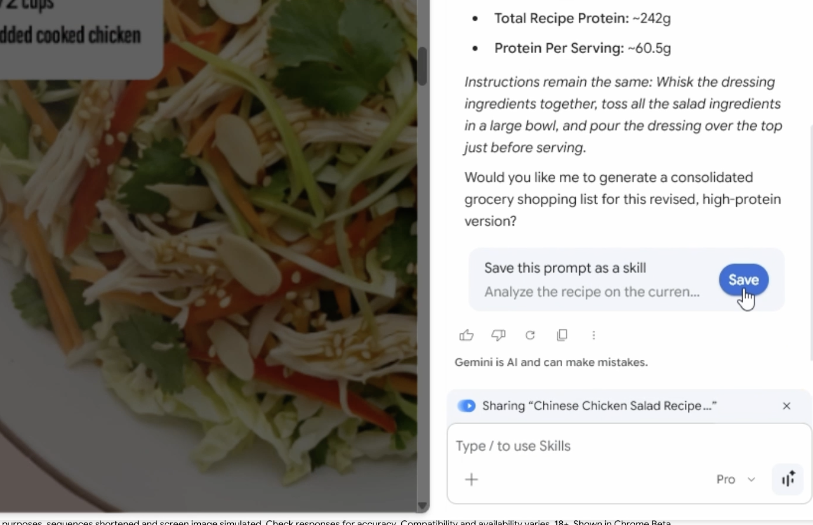
A user can trigger one on any page by typing / or clicking +, and run it across the current tab plus any other tabs they select.
Instead of re-typing “tell me what’s in the reviews” every time, the user saves the /reviews prompt once and replays it with a click.
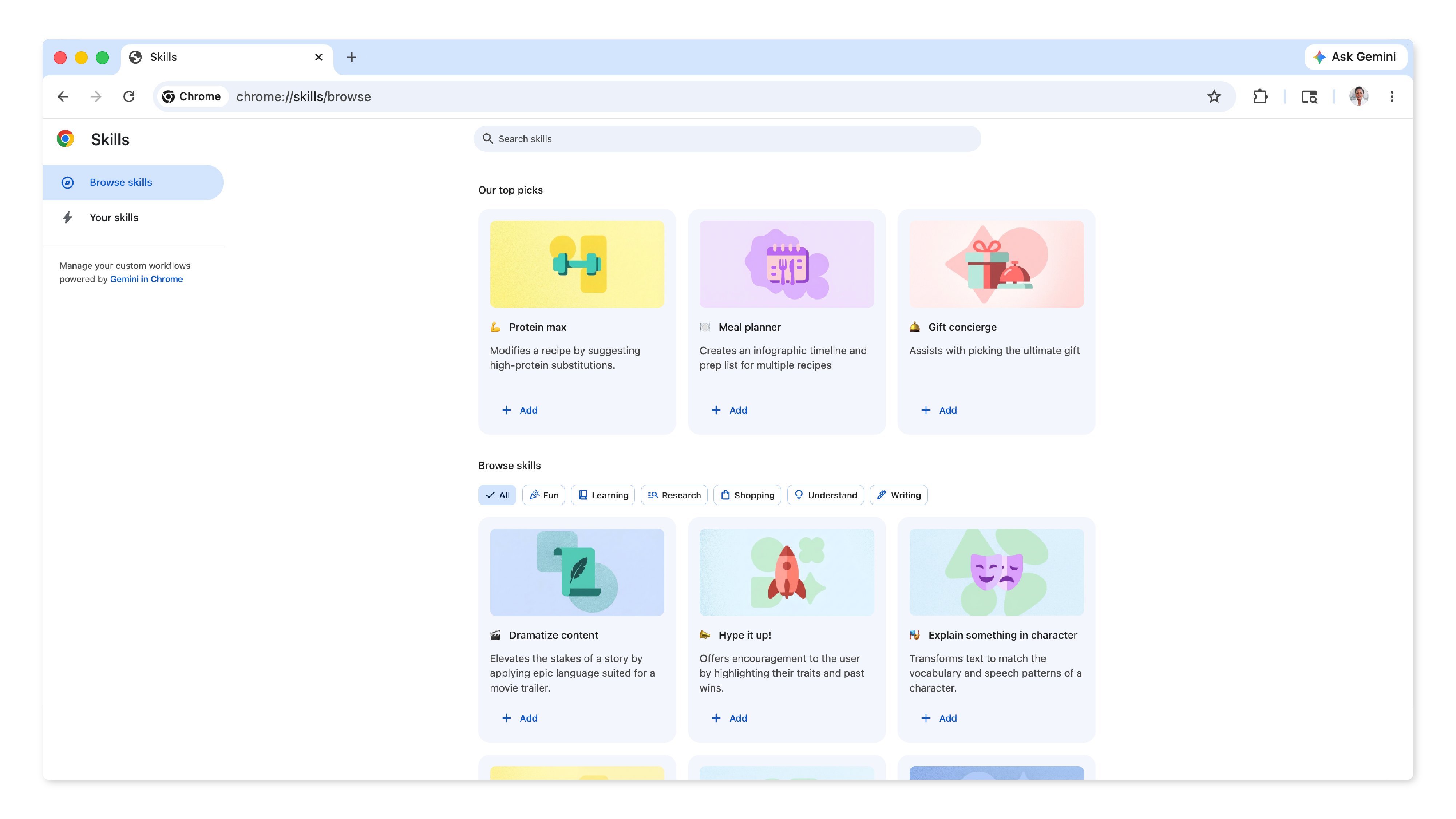
Alongside user-created Skills, Google is launching a curated Skills library organized into categories like Shopping, Recipes, Budgeting and Productivity - and a large share of the launch examples are shopping-related (e.g., side-by-side product comparisons, buying advice, review summaries, gift ratings).
Browsing in AI Mode - the website becomes context
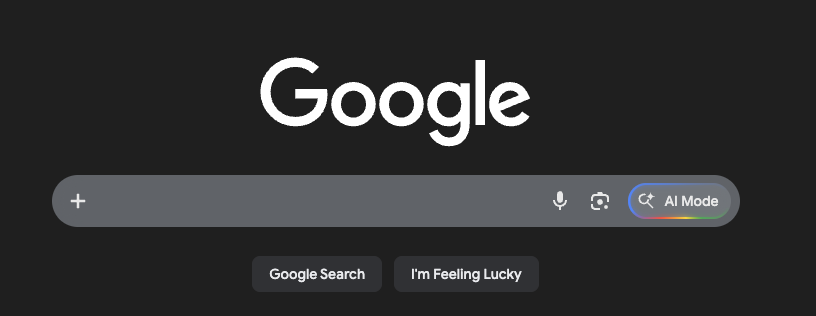
Google also launched the option to browser while using AI Mode in Chrome. AI Mode is a Gemini-like conversational interface embedded directly into Google Search. You probably seen in on the right when you search Google, and it wraps Gemini and feels very much the same experience (we like to think this is just a more approachable version for Gemini).
Now with browsing in AI Mode, It lets users start their journey in AI Mode, nut when they find something relevant, it opens the actual website alongside as part of the same session.
The key shift is that the website becomes part of the context. Instead of leaving search, users can open a merchant page and immediately ask questions about it, while the AI understands both the page and the broader web.
So the flow becomes:
Start in search
Find a product or service
Open the merchant page
Ask questions directly on top of it - with the AI reading both the page and the wider web
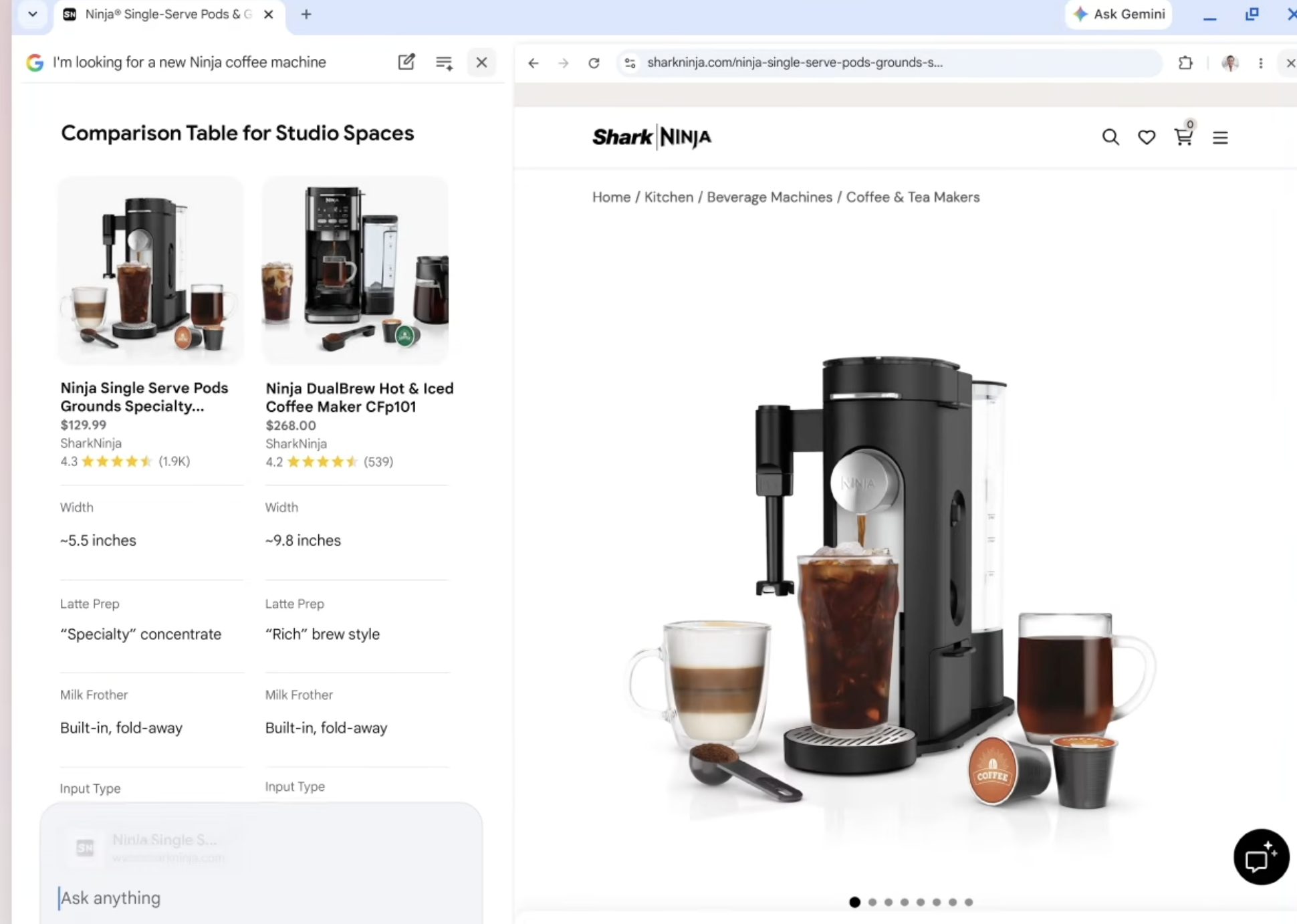
For merchants, this matters for two reasons:
Distribution. Google is pushing AI into two of its largest surfaces simultaneously - Chrome, which is gradually rolling out the Gemini side panel globally, and Google Search, which now offers AI Mode with an embedded browser. Because website owners have no visibility into who is actually using Gemini in Chrome or AI Mode on their site, this effectively represents a new stream of traffic hitting your pages - one you can’t currently see or measure.
Behavior. Skills turn ad-hoc AI usage into repeatable, habitual consumer behavior - shoppers will increasingly arrive at product pages with a pre-configured comparison or evaluation prompt already loaded. Browsing in AI Mode reinforces the same pattern from the other direction, making the AI panel the default companion to the page itself. Either way, product pages are no longer just being read by humans; they’re being systematically parsed by Gemini before a purchase decision is made.
Combined with Google’s distribution, this means the “first reader” of your PDP might shift from a shopper reading with his ‘bare eyes’, to Gemini running a structured Skill - or to AI Mode comparing your page against the rest of the open web in real time.
Gemini works for the user, not the merchant
Shoppers are now traveling your site with a companion - and it’s not the one the merchant built. Merchants have spent real effort building dedicated on-site agents, where the merchant controls the experience, the data, and the conversion path (the most known examples are Rufus by Amazon and Sparky by Walmart). But shoppers are increasingly arriving with their own assistant instead - Gemini sitting in the side panel, running the shopper’s saved Skills on top of the merchant’s page.
There’s a critical change of dynamic to understand here: Gemini in Chrome and browsing in AI Mode don’t work for the merchant - they work for the user. These AI tools have no incentive to keep the shopper on-site, no reason to favor one brand’s framing over another, and no obligation to convert. They might summarize the page, surface a competitor from another open tab, pull a better-reviewed alternative from across the web, or quietly send the user to a third-party site that scored higher on whatever criteria the Skill was built around.
From the merchant’s side, this is effectively a blind spot: you won’t see the prompt, you won’t see the comparison, and you won’t see the moment the user decided to leave. The shopper was on your page (which traditionally was down the funnel from discovery and represented high intent) - and then they weren’t - and the “why” happened inside a side panel you have no access to.
What can you do about it
There are currently two major things merchants should be doing:
Start gaining visibility into how your storefront behaves with Gemini in Chrome and browsing in AI Mode. You can’t optimize for a channel you can’t see - and right now, most merchants have no idea what Gemini actually says about their products, how it compares them against competitors, or what it does when a shopper runs a Skill on their page. (We built a tool for exactly this - check it out below.)
Start laying the groundwork for WebMCP. This is a new standard Google is pulling into Chrome that will let merchants surface dedicated tools directly to Gemini in Chrome - essentially giving you a structured way so the website can “talk” back to Gemini instead of it just scraping the website. We’ve written a full analysis of it, and it’s worth spending the time to understand what it does and why it matters. We also have a live demo with WebMCP you can try out.
Start with a free review of how Gemini handles your storefront.
We built the Gemini in Chrome Skills Review - a free tool that tests your product pages against the exact shopping Skills Google ships in Chrome. Paste a product URL, and we run the eight Skills Gemini uses on your page - buying advice, review summaries, spec identification, and more - and score how your page performs on each. You’ll get a sample report in your inbox within 24 hours, with a per-Skill breakdown.

Summary
Gemini introduces a new customer journey on merchants’ sites - shoppers arriving with their own AI companion, one that works for them, not the website. It optimizes for different things than the merchant does, and with Skills, AI Mode, and Google’s Chrome distribution behind it, this might become very dominant behavior with consumers. The first step is getting visibility into what’s actually happening on your pages. Try our free Gemini Skills Review to see how your storefront performs today.